Keep raw NMEA logs
The app records every byte your receiver sends, per project. Share or delete the logs, find them in the bundle export, and attach them to a report.
On this page
While a receiver is connected, OpenSurvey3D writes everything it sends to a file, byte for byte. That raw NMEA stream is the most basic record an RTK observation has. It's kept with the project and exported in the bundle, so the field record doesn't stay on the phone.
How logging works
- Log raw NMEA is on by default.
- A new file starts each time you connect a receiver, over Bluetooth, NMEA over TCP/IP or Zeno Connect. Phone GPS isn't logged.
- The file is exactly what came from the receiver. Nothing is reformatted or timestamped, so it replays in any NMEA tool. A datum shift applied to a fix (see The frame your corrections are in) never touches the log, so the receiver's original position is always kept.
- Files are plain text, named with the date, time and source, for example
nmea-2026-08-23T12-34-56-reach-rx2-bluetooth.txt. - Logs are filed under the project that was open. If you switch projects while connected, the app closes the file and starts a new one in the new project.
- Logs stay on the phone until you delete them.
The Raw field data section
Hold the accuracy pill to open Precision and scroll to Raw field data.
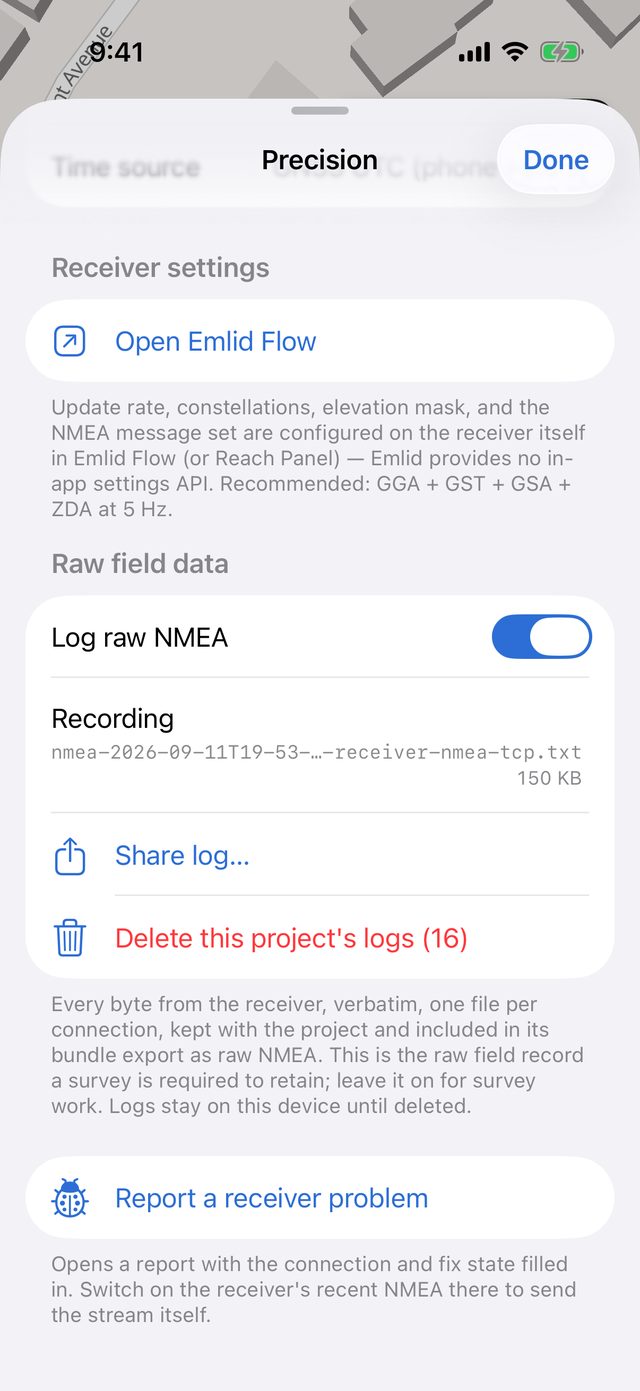
| Item | What it does |
|---|---|
| Log raw NMEA | Turns logging on or off. Switching it on while connected starts a file immediately. Switching it off closes the current file. |
| Recording / Last log | The file being written (or the last one this session) and its size. |
| Share log… | Shares that file with AirDrop, Mail, Files and so on. It's saved to storage first, so a file still being written is complete up to that moment. |
| Delete this project's logs (n) | Deletes the stored logs for the open project. The file being written right now is kept. |
A red message appears if a log couldn't be started or stopped writing, for example if the phone ran out of space.
Logs in the bundle export
Tools → Export bundle (ZIP) includes an nmea/ folder with every stored log for the project, one file per connection. See Export a project bundle.
Logs made with no project open are kept separately and aren't included in any project's bundle. Open the project before connecting your receiver.
Report a receiver problem
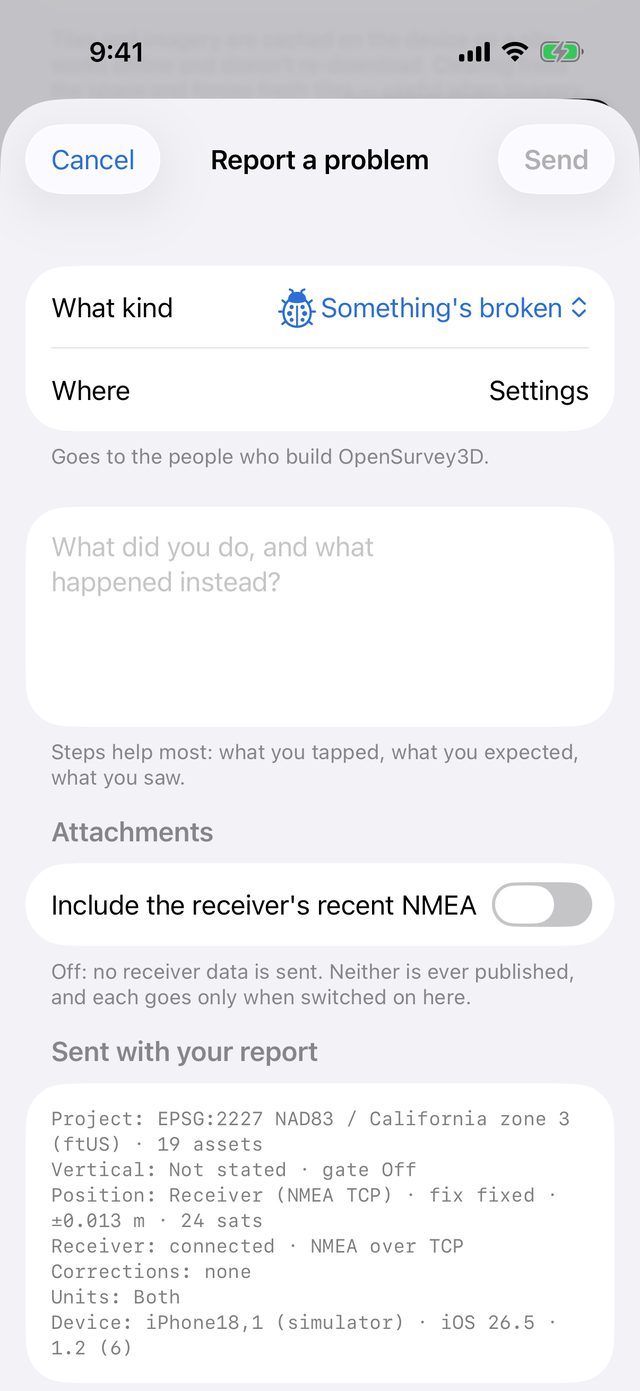
For problems with the receiver or corrections, tap Report a receiver problem at the bottom of the Precision sheet. It opens a problem report with the connection and fix state already filled in.
In the report, switch on Include the receiver's recent NMEA to attach the tail of the raw stream: about the last 256 KB of the current connection, or of the project's most recent log. It's off unless you turn it on, because it's a record of your positions. It's also what makes a receiver or corrections problem reproducible. The toggle only appears when there's a log to send.